Consent before the needle.
Reviews after.
Your client signs on their phone with photo ID — in English or Spanish, whichever they read. When the session closes they get their fresh-ink photo, their aftercare, their artist's tip link and a one-tap review, without anyone at the front desk remembering to send it.
Free while we're setting up with our first shops. No card, no contract.

How it runs
Three moments, none of which need the front desk to remember anything.
They sign on their own phone
Book someone in and they get a text with their form. Walk-ins scan the QR code on the counter. Photo ID, health questions, initials and a signature — about three minutes, and it's done before they sit down.
Your day, on one screen
Today's bookings as a timetable, colour-coded by artist, with anyone who hasn't signed flagged. Shoot the finished piece straight into the appointment.
The part that brings them back
Close the session and one link goes out carrying their photo, their aftercare, their artist's tip link and your review links. Three weeks later, a nudge.
After the session
One link does the work of a follow-up you were never going to send.
A staff member closes the session. That's the whole job. About an hour later — you pick the gap — the client gets a text and an email with a private page carrying everything at once, in your colours, your logo and their language.
- Their photo, full size, with a Save button. It's what they were going to ask for anyway, and it's what they post.
- Your aftercare, in your words — not a generic leaflet. First 24 hours, days 2 to 14, long term, and up to eight sections you write yourself.
- Their artist's tip link, by name, with the artist's face next to it.
- Your review links — Google, Facebook, Yelp — one tap, already signed in on their phone.
- A way back in. “Next piece?” with your booking link, at the moment they're happiest with you.
Nobody has to remember any of this, look anything up, or find the photo again three days later. Closing the session is the trigger.
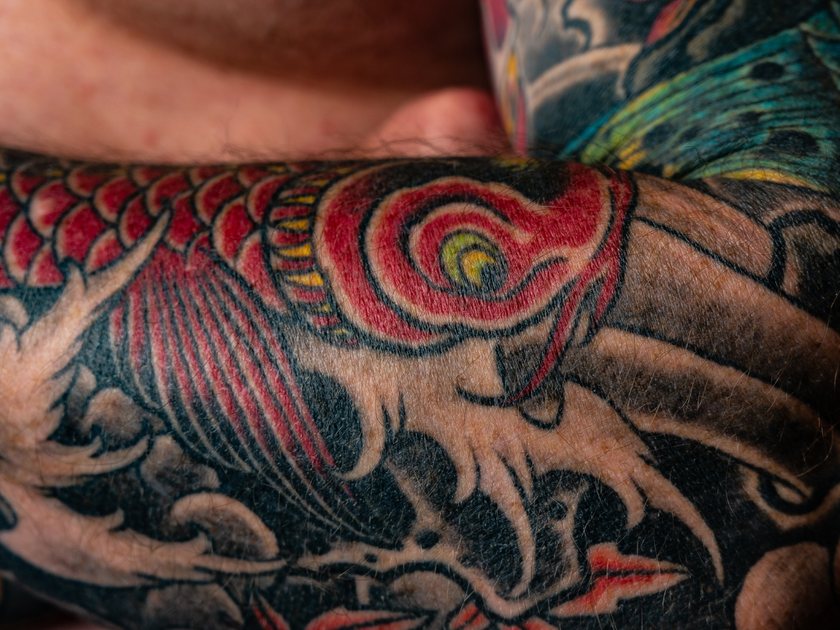



Tips
The tip jar, moved to where they're actually looking.
A card by the till gets walked past. This sits directly under the photo of the piece they just got, with the name and face of the person who did it — at the exact moment they feel best about it, and after they've already got their phone out.
- Each artist's own link — Venmo, Cash App, PayPal, Stripe, whatever they already use.
- Paid straight to the artist. Nothing lands in the shop account to be sorted out on Friday.
- We never touch it, never hold it, never take a percentage. There's no payment processing in this product at all.
- Turn the whole thing off for your shop if it isn't how you work.
Reviews
Asked at the right moment, then asked once more.
The ask goes out while the tattoo is still the best thing that happened to them this month — not a week later when it's wrapped in cling film and itching. If they don't bite, one reminder lands on day 21, when it's healed and looks the way they'd want it photographed.
- Google, Facebook and Yelp — whichever you fill in is what they see.
- The moment someone taps through, the reminders stop. Nobody gets nagged for a review they've already left.
- Your dashboard shows where it broke down, stage by stage, so “reviews aren't working” becomes a number you can look at.
We don't filter by rating, and we won't build it. Every client sees these buttons whatever they thought of their tattoo. Showing them only to happy clients breaks Google's review policy and the FTC's rule on consumer reviews — it's how a shop gets its reviews wiped.
Before it goes public
The unhappy ones come to you first.
Under the review buttons, in the same breath, sits a quieter option. Somebody worried about how it's healing, or annoyed about something small, usually takes it — and it lands in your inbox instead of on your Google page.
- The artist gets a text and an email the moment it arrives. Not tomorrow.
- Replies to your texts land in the same place. A client answering “is this normal?” doesn't vanish into a number nobody checks.
- Open or resolved, with call, text and email one tap away.
If it ever matters
A record, not a checkbox.
Most software treats consent as a box to tick. Yours is the document you'd hand a lawyer or an inspector — which is the whole reason to have it.
- Your release wording, not ours. The form won't open until someone at your shop has read it and said it's theirs.
- Photo ID front and back, eleven health questions, initials on each statement, and a drawn signature.
- Minors off by default. Switch them on and it won't submit without a guardian named, contactable and marked present.
- Waivers numbered from #1 within your shop, so “forms 1 to 40” means yours.
- IDs, signatures and health answers encrypted. IDs and the PDF stop at owners and managers, and every view is logged with a name and a time.
- The exact wording they agreed to is stored with the signature. Changing your release never rewrites a signed one.
The bit most shops get wrong: a waiver only protects you if it says what your insurer or your attorney wants it to say. So the public form stays shut until someone at your shop has read the wording and confirmed it's yours — and if you edit a word of it later, the confirmation comes back. We'd rather block you for five minutes than have a client sign words nobody at the shop has read.
Getting them in the door
Walk-ins and DMs, both handled.
The two ways people actually reach a tattoo shop — standing at your counter, or sliding into your Instagram — and neither of them starts with a clipboard.

A poster for the counter
One printable sheet with your logo and a QR code. A walk-in scans it, fills the form in on their own phone, and it attaches itself to today's schedule by the number or address they typed — never by name, so nobody can sign as somebody else. No booking? It makes one, and the front desk can pin it to the right slot from a “signed today without an appointment” list.
- Prints in English and Spanish together, unless you turn the second off.
- Your own headline, if “sign your form” isn't how you'd put it.
- The same QR is on screen in settings, for the shops that'd rather stick it on an iPad.




A link for your bio
Instead of forty DMs a week that all start “hey, how much for…”, a page that asks what you were going to ask anyway: the idea, placement, rough size, budget, which artist, when they're free — and up to four reference photos.
- They queue up with a badge in your sidebar, and the artist they asked for gets a heads-up.
- “Book this in” turns it into an appointment with everything already filled, including their language.
- Link straight to one artist with their own version of the page.
- No deposit asked for here — that's a conversation, not a form field.
English & Español
Nobody should sign something they can't read.
Every page a client sees and every message they get comes in both languages, with a switch in the corner. Whichever language they sign in is the one on their waiver, its PDF and your records — so you always know what they actually agreed to.
- Health questions, permissions and release, all translated.
- Their confirmations, reminders and aftercare arrive in it too.
- Your own release wording stays yours. We never machine-translate the words someone signs — and if you haven't written a Spanish one, the form says so before they sign and the waiver says so afterwards.
Your day
Who's coming in, and who hasn't signed.
The screen the front desk leaves open. Today's bookings down the page, a colour per artist, and the one thing that actually stops a session — an unsigned form — impossible to miss.
- One tap re-sends somebody's form, or requests the deposit.
- A week view when you need to see further out, and a list of everyone still carrying a balance.
- Subscribe to the whole schedule from Apple, Google or Outlook.
It looks like your shop
Your logo, colours, font and button shape on the consent form, the aftercare page and your emails — with a live phone preview while you pick them.
One page per client
Sessions, spend, waivers, last visit, and every message ever sent to them — including the ones we refused to send, and why.
Four roles
Owner, manager, front desk, artist. ID photos, PDFs and the access log stop at owners and managers.
Deposits, your link
Paste your Square, Venmo or Stripe link once. Put an amount on a booking, send the request, tick it off when it lands. We never handle the money.
Nothing sends without permission
Every message passes a consent check. STOP opts the number out instantly, texts are held through your quiet hours, and refusals show up with a reason.
A setup guide that finishes
Eleven steps in plain English, ticking themselves off as you go, so you know exactly what's left before you go live.
Honest about it
The only thing it won't do is take the money.
Your bookings live here — the day, the week, the walk-ins, the requests off your bio link, and who still owes you what. What WaivePro Ink doesn't do is process a payment. Deposits and tips run on your own links, straight to you and your artists, and you keep whatever card reader you already use.
Pricing
Free while we set up with our first shops.
$0 to start
We're working directly with a small number of studios to get this right. You get the whole thing, we get your honest opinion, and you'll know the price well before there is one. No card, no contract, and your data is yours to export whenever you want.
Questions shops ask
The short answers.
Do you take a cut of tips or deposits?
No, and we never see the money. Tip links are each artist's own — Venmo, Cash App, PayPal, Stripe, whatever they already use — and it goes straight to them. Deposit links are yours. We don't process payments at all, so there's nothing for us to take a percentage of.
Can I send the review ask only to clients who loved it?
No. Every client sees the review buttons. Filtering by rating breaks Google's review policy and the FTC's rule on consumer reviews, and shops that do it get their reviews removed. What you get instead is a private “message the shop” option sitting right there — the person with a complaint usually takes the quiet route, and you hear about it first.
Do I have to use your legal wording?
No, and you shouldn't. What ships is a plain starting point. Most shops paste in the release their insurer or attorney already gave them. The public form stays shut until someone at your shop has read whatever's in that box and confirmed it's yours — we'd rather block you for five minutes than have a client sign words nobody at the shop has read.
What actually triggers the aftercare message?
A staff member closing the session, which needs a signed form and at least one photo of the piece. There's nothing separate to remember and nothing to schedule — you finish up the booking like you would anyway, and the rest happens on its own about an hour later, or whatever gap you set.
What happens to the paper forms I already have?
Keep them. Nothing here touches what you've already got filed. New clients sign digitally from the day you start, and your old binder carries on being your old binder.
Can my artists see everything?
You choose. Owners, managers, front desk and artists are separate roles. ID photos, PDF downloads and the access log are limited to owners and managers, and every time someone opens a waiver or an ID it's recorded with their name and the time.
What if a client doesn't want texts?
Then they don't get them. The aftercare box on the form is theirs to tick, replying STOP works instantly and sticks to the number rather than the client record, and anything we refuse to send shows up in your message log with the reason.
How long does it take to get going?
An afternoon for everything you control — your release, your artists, your colours, your review links. The one slow part is getting a texting number approved by the carriers, which takes a few weeks and is the same for everybody. Email and the forms work while you wait.